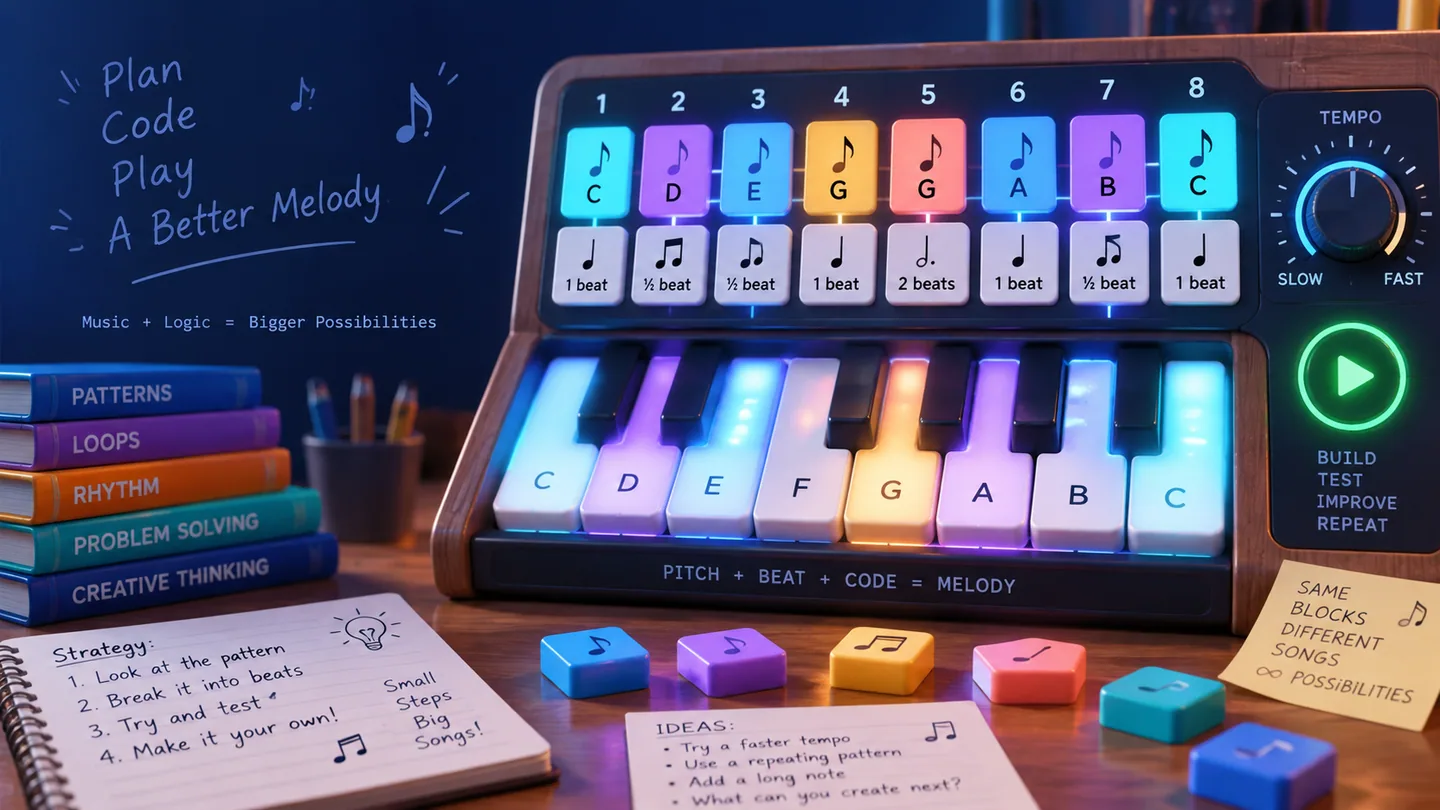
Music Programmer Guide: Pitch, Rhythm, and Melody Sequences
Music programming treats a melody as a sequence of timed instructions. Every note has both pitch and duration, while BPM controls the global speed. Correct pitches placed on the wrong beats will still fail to match the target phrase.
Understand the rules first
Arrange numbered target notes in order and assign durations in advanced levels. Intermediate levels expand to 15 pitches; challenge levels add half, one, two, three, and four beats; master levels add black-key semitones and quarter beats. Tempo ranges from 30 to 260 BPM.
Controls and observation
Switch between Performance Input and Music Program in the top bar. Set BPM and duration, then press piano keys to add notes. Rest and repeat are program rhythm actions. Preview the target for an auditory reference and Play Code to verify the complete sequence.
Strategy by difficulty
Beginner
Ignore tempo nuance at first and compare pitch numbers one by one. Divide the melody into phrases of three or four notes and preview after each group instead of discovering an early error at the end.
Intermediate
Across 15 pitches, distinguish the same note name in different registers. Remember the contour—rising, falling, or repeated—rather than isolated numbers. Separate repeated attacks, held durations, and repeat commands.
Challenge and mastery
Clap the durations before entering rhythm levels. Black keys are semitones and cannot be replaced by neighboring white keys. Debug at a slower BPM, then restore the intended tempo. Quarter beats at high speed demand short phrase checks.
A reliable solving routine
-
Preview the target and note pitch contour, rhythm, and tempo.
-
Split the phrase into short, meaningful groups.
-
Choose the current duration before pressing its piano key.
-
Preview each group and repair the first mismatch before continuing.
Common mistakes
- Checking pitch numbers but ignoring note durations.
- Treating Repeat Previous as if it merely lengthened the current note.
- Changing BPM throughout debugging and confusing tempo with sequence errors.
Practice advice
Build accurate input at 100 BPM, then perform the same phrase slowly and quickly. In Daily Creation, begin with a four-note motif and expand it through repetition, transposition, or rhythm changes.
Quick answer
Music programming treats a melody as a sequence of timed instructions. Every note has both pitch and duration, while BPM controls the global speed. Correct pitches placed on the wrong beats will still fail to match the target phrase. Use this as the main decision rule: before every action, say what constraint it satisfies and what future option it preserves.
A worked attempt: think before acting
A useful first-pass approach is: ignore tempo nuance at first and compare pitch numbers one by one. Divide the melody into phrases of three or four notes and preview after each group instead of discovering an early error at the end. After that move, pause and compare the actual state with the one you predicted. If they differ, correct the model before adding more actions.
Now test the opposite of a common failure: checking pitch numbers but ignoring note durations. Instead of repeating that pattern, undo to the first decision that created it and choose the move that leaves more legal continuations. This turns an apparent mistake into a reusable solving example.
How the difficulty curve changes
Early levels isolate one rule so the result of each move is easy to see. Intermediate levels combine two rules and make move order important. Challenge levels add look-alike states, tighter space, or longer dependencies. Mastery means explaining why a move is safe, not merely remembering a solution.
For a new level, use three passes:
-
Map: identify fixed goals, movable parts, forbidden states, and scarce spaces.
-
Plan: choose one short milestone that can be checked immediately.
-
Verify: after reaching it, confirm that the next milestone remains possible.
Frequently asked questions
What should I focus on first in Music Programmer?
Start with the most restrictive rule described at the top of this guide. Forced moves, narrow corridors, limited capacity, or unique candidates reduce the search space fastest.
What is the most common reason a valid move becomes a bad move?
A move can be legal now but destroy a future option. The warning sign in this puzzle is: checking pitch numbers but ignoring note durations. Check the state one or two actions ahead before committing.
How do I know whether I am improving?
Track one measure at a time: fewer restarts, fewer undos, lower move count, better accuracy, or the ability to explain each choice. A faster time is meaningful only when correctness stays stable.
Are the daily and shared challenges different from ordinary levels?
They use the same game rules. The daily challenge provides a date-based common puzzle, while a challenge link preserves a specific level or state so two players can compare decisions on equal terms.
Key terms
- State: all information needed to determine the next legal actions.
- Constraint: a rule that eliminates impossible choices.
- Look-ahead: predicting the result of one or more actions before making them.
- Dead end: a legal-looking state from which the goal can no longer be reached.
- Efficiency: useful progress per move rather than motion for its own sake.
A deliberate practice routine
Play once without worrying about score. On the second attempt, stop at the first uncertainty and state two candidate actions. Predict the consequence of each, choose one, and use undo only to test the prediction. On the third attempt, aim to remove one unnecessary reversal or guess.
Use the daily challenge for transfer: it prevents you from memorising only a fixed level sequence. Use shared challenges for explanation: send the exact puzzle, compare the first point where your routes differ, and discuss which future option each move preserved.